 Eclat
Eclat Editor
Your photos, in your style. The original, always.
Eclat Editor opens the photos on your iPhone and iPad and develops any of them with Eclat's film styles, or with the settings photographers know from Lightroom. Every edit can be reverted.
Free to download, with every built-in style. iPhone and iPad.
Styles
Every style, on your photo
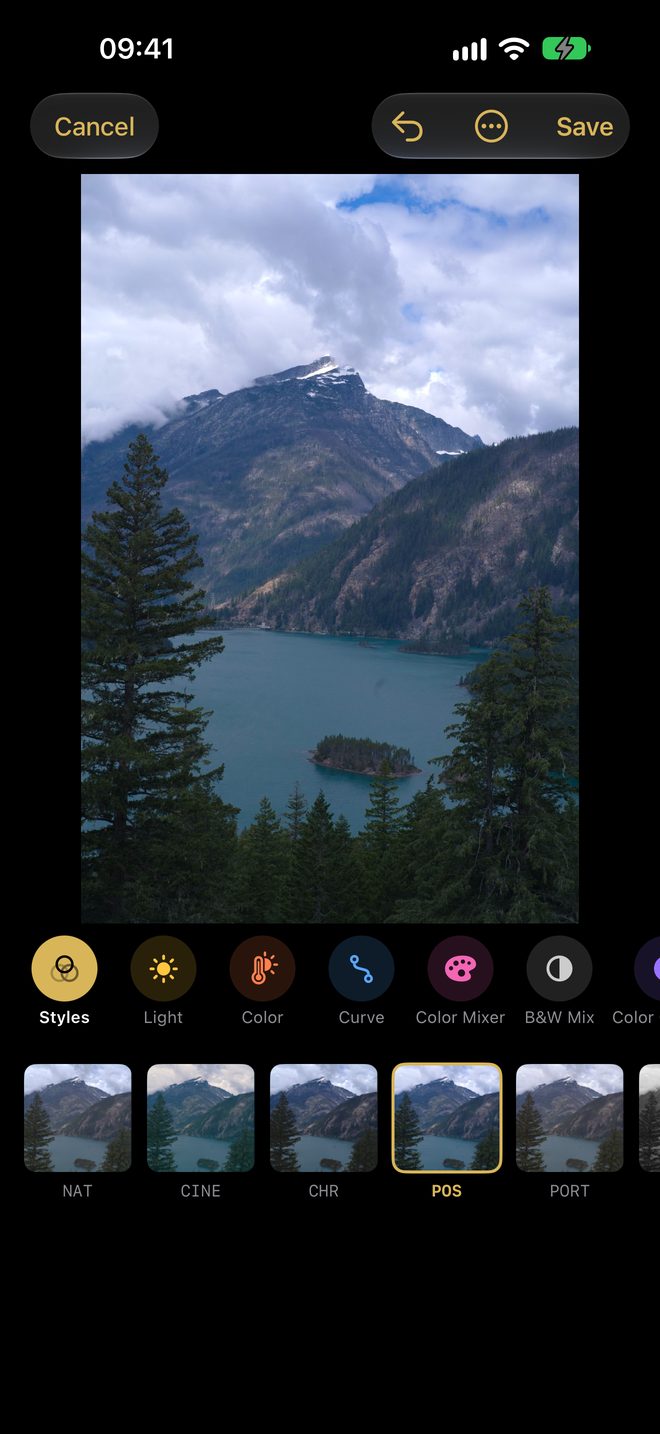
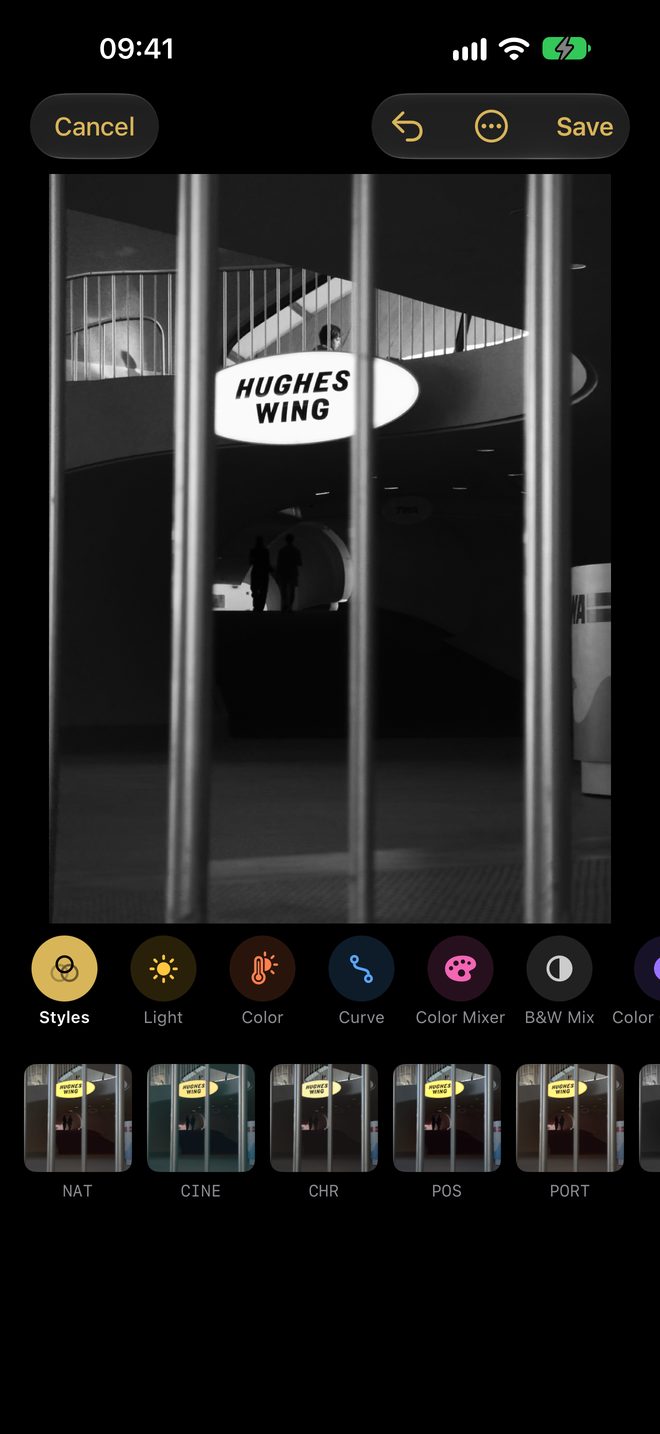
Each style is shown rendered on the photo you are editing, not on a sample. Tap one to apply it, set its amount, and touch and hold the photo to see the original. Seven styles are in the strip from the start; GLD, XPR and XP2 are one switch away in Settings › Styles.
Adjust
The settings you know
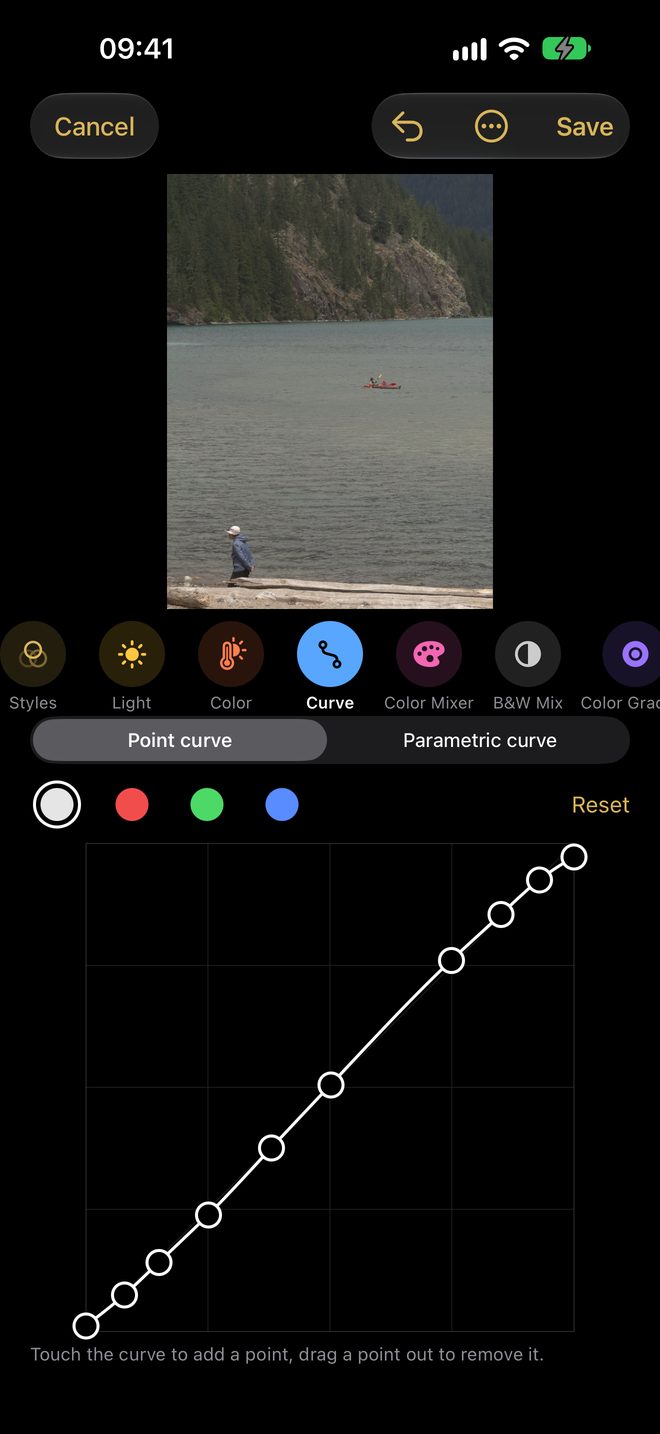
Light, Color, Curve, Color Mixer, B&W, Color Grading, Effects and Calibration, with the names and ranges of Lightroom's develop settings. The sliders start from the style's own values, so you refine the style instead of starting over. Undo any change.
- Curve
- A point curve per channel, or the parametric curve.
- Color Mixer
- Hue, saturation and luminance for each colour, or a black and white mix.
- Color Grading
- Shadows, midtones and highlights, each with its own hue and strength.
Your own style
Make your own style
Liked what you did on one photo? Turn it into a style. Copy a built-in style and change it, or start from nothing. It then appears in the style strip of every photo, and in Eclat Camera's viewfinder.
-
Start from a style, or from nothing
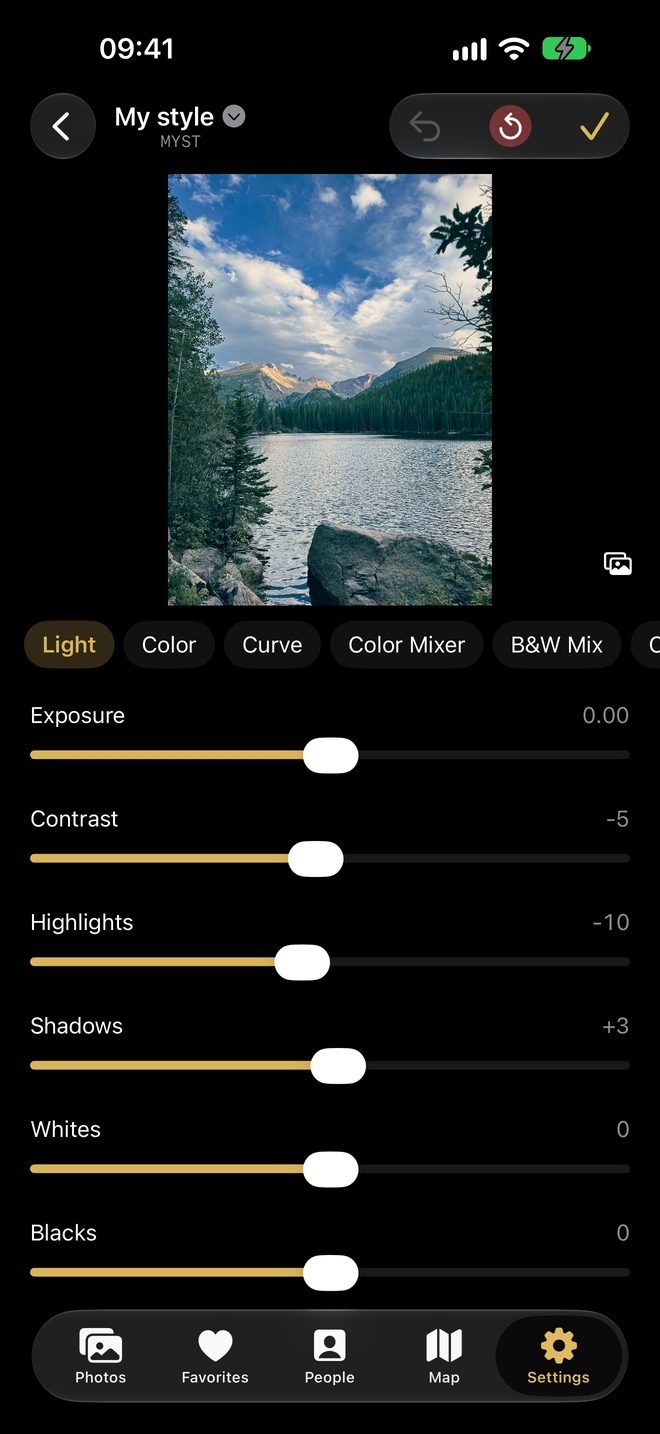
In Settings, open Styles. Tap New style, or swipe right on a style to copy it. Check the styles you want in the picker and drag them into your order.
-
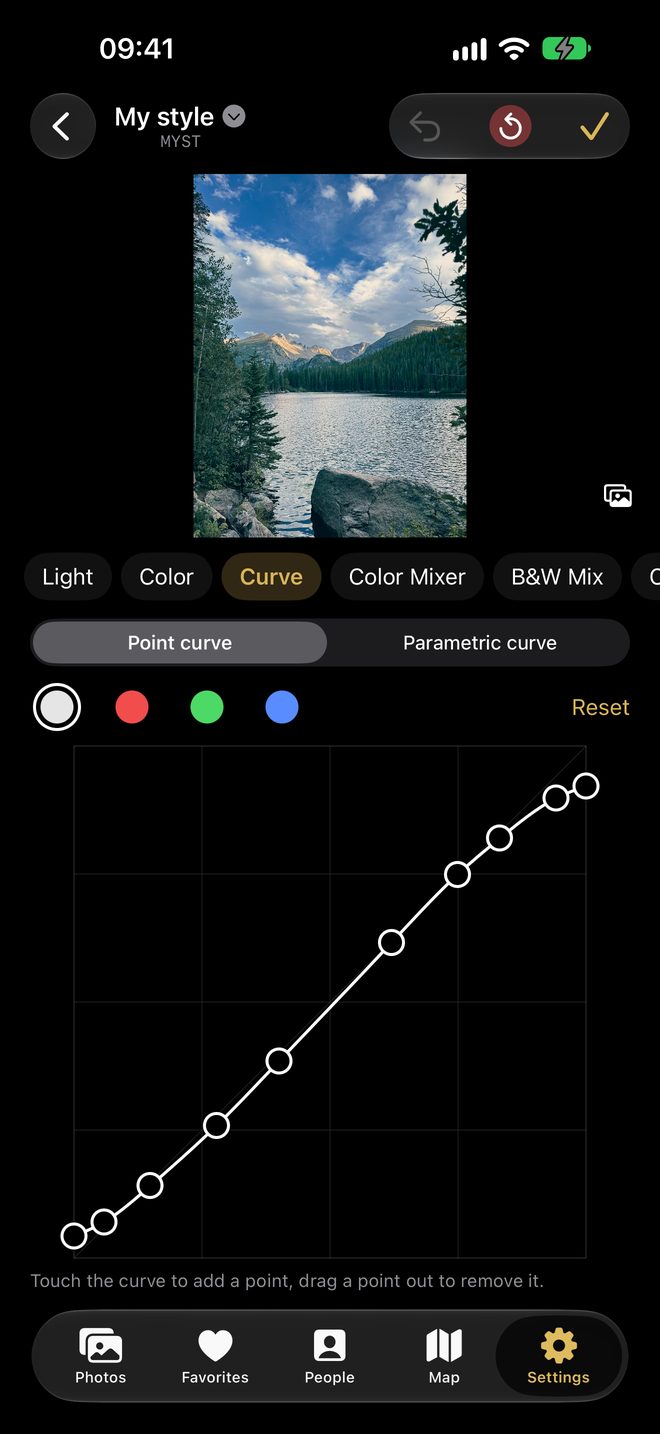
Shape the light, the colour, the curve
The panels are the ones Lightroom users know: Light, Color, Curve, Color Mixer, B&W, Color Grading, Effects and Calibration. Draw the point curve for each channel, try it on one of your own photos, and undo any step.
-
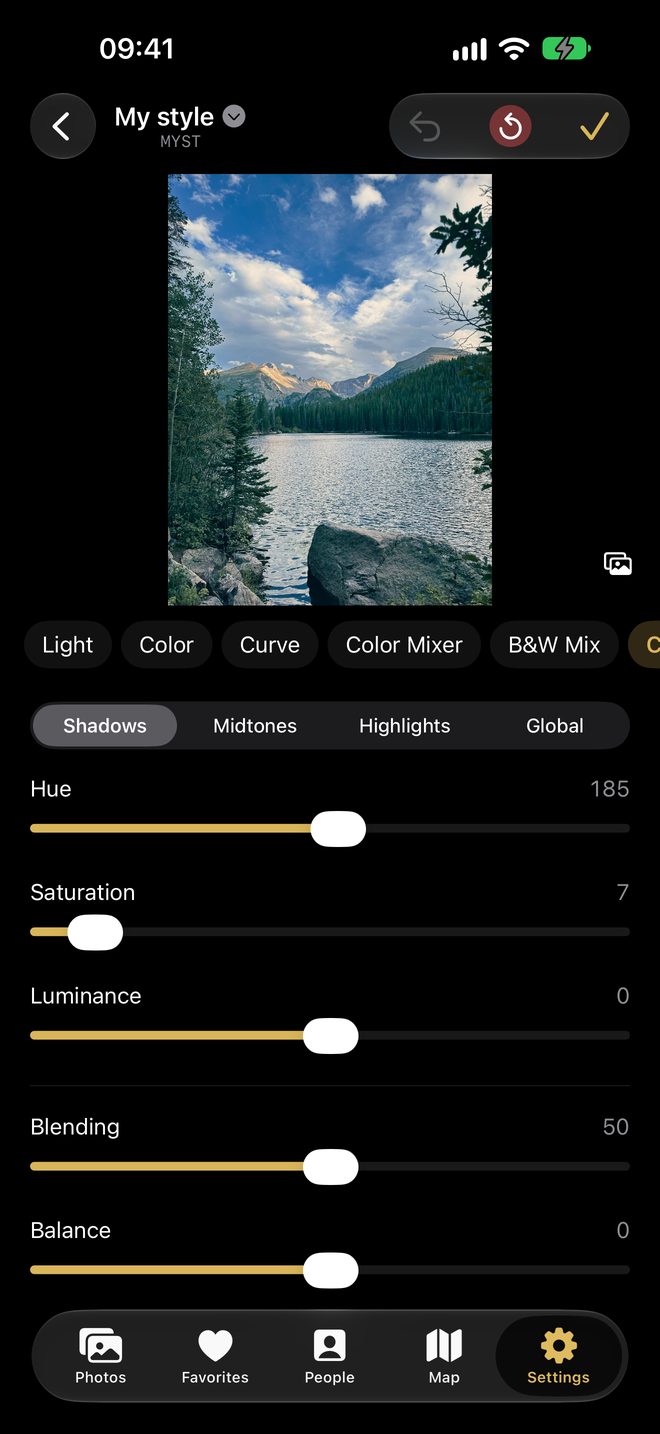
Grade it, name it, use it everywhere
Grade shadows, midtones and highlights, add grain or a vignette. Name it, and it gets its own short code in the style picker: it is live in Eclat Camera's viewfinder, on every photo in Eclat Editor, and on your other iPhone and iPad through your own iCloud.
- Bring your Lightroom presets
- Open a Lightroom .xmp develop preset from Files, AirDrop or Mail, and it becomes a style you can shoot with.
- Take them back to Lightroom
- Export one style or all of them as .xmp presets. Eclat renders with its own engine, so a preset can look slightly different in each app; the settings are the same.
Crop and versions
Crop, straighten, and keep every version
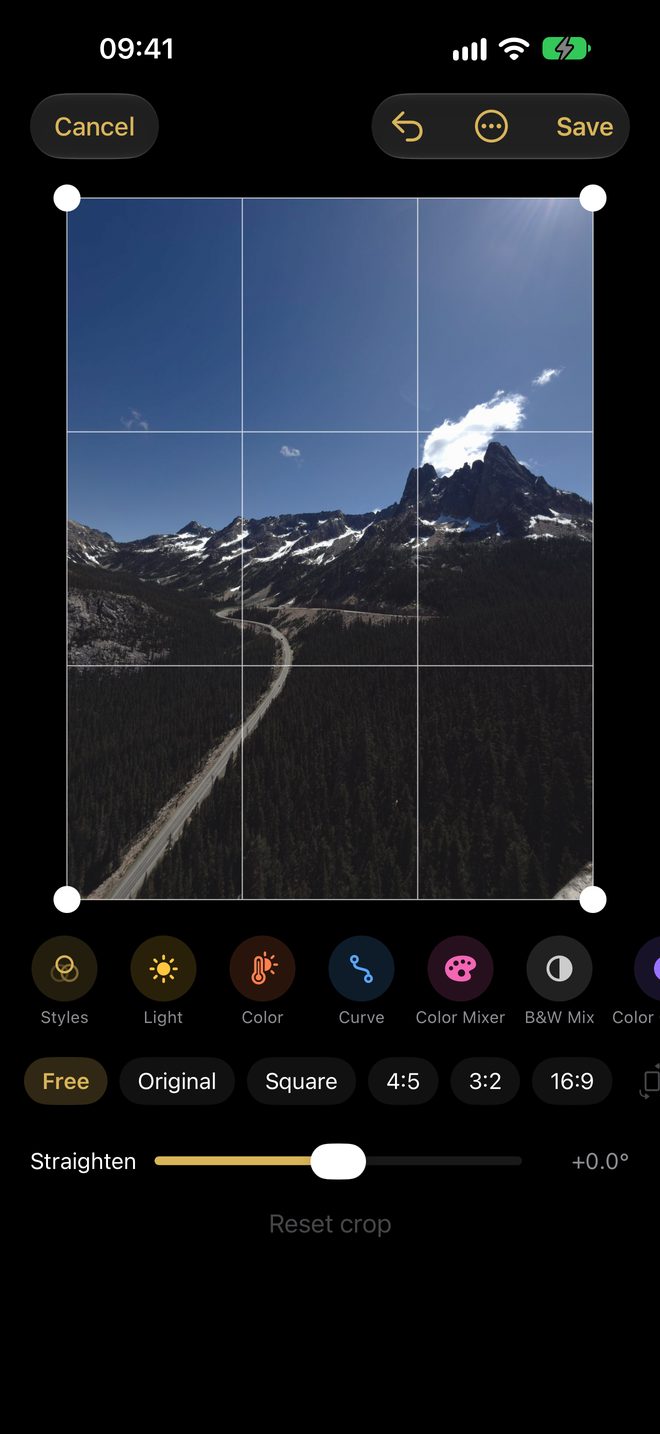
Crop freely or to the original ratio, square, 4:5, 3:2 or 16:9, and straighten up to 45° with no empty corners. Each save is a version: open History and bring any of them back, or save as a copy when you want both.
Every edit is saved in your Photos library as a reversible edit: Photos shows your version, and Revert gives the original back, in Eclat Editor or in Photos.
Library
Your library, organised
- By month or on a map
- Photos, Favorites, the Eclat Camera album and People, as a grid by month or on a map. Give stars, write comments, gather photos in collections and jump to any month.
- People, privately
- Eclat finds and groups the faces in your photos on your device, after a one-time download of the face models. Name, merge or hide a person. Faces never leave your device.
- Made for Eclat Camera
- Photos taken with Eclat Camera reopen with their style. Change it, and the crop stays. Styles you make in one app appear in the other.
Start with the photos you already have.
Free: every built-in style on any photo, crop and straighten, History, People and the map. Eclat Plus adds the settings on each photo and your own styles; everything is open for your first 7 days. About Eclat Plus.